How PDFRego's Merge Tool Saved My Career from a Document Disaster

Let me tell you a story about a Tuesday afternoon that almost ruined my career. I was working on a massive compliance report for a Fortune 500 client. The deadline was 5 PM, and the clock was ticking down mercilessly. I had twenty different PDF documents sent to me by various departments: financial statements from accounting, legal disclosures from our lawyers, compliance checklists from HR, and executive summaries from the board. My job was simple in theory: combine them into one seamless master document. Sounds easy, right? That’s what I thought, until I realized the sheer volume and sensitivity of the data I was dealing with.
I usually used a standard desktop application, but my computer had crashed earlier that week, and the loaner laptop I was using didn't have any premium PDF software installed. Panic started to set in. I went online and searched for 'merge PDF files online.' Millions of results popped up. But here was the catch: I was dealing with highly confidential financial data and non-disclosure agreements. Uploading these files to a random cloud server was a massive security violation. If I uploaded them and there was a data breach, I wouldn't just lose my job; our company could face millions in lawsuits.
I was stuck between a rock and a hard place. Miss the deadline and lose the client, or risk a data breach and lose everything else. I started sweating. I needed a tool that was lightning fast, didn't require installation, and most importantly, processed everything locally so my files never left my computer.
That's when a colleague pinged me on Slack: 'Have you tried PDFRego? It runs entirely in your browser. Total privacy.'
I was skeptical. A web app that doesn't upload files to a server? I opened my browser and typed in the URL.
The Interface That Calmed My Nerves
The moment the PDFRego homepage loaded, I felt a slight wave of relief. The design was incredibly clean—no intrusive ads, no confusing buttons, just a pristine interface that looked like a premium piece of software.
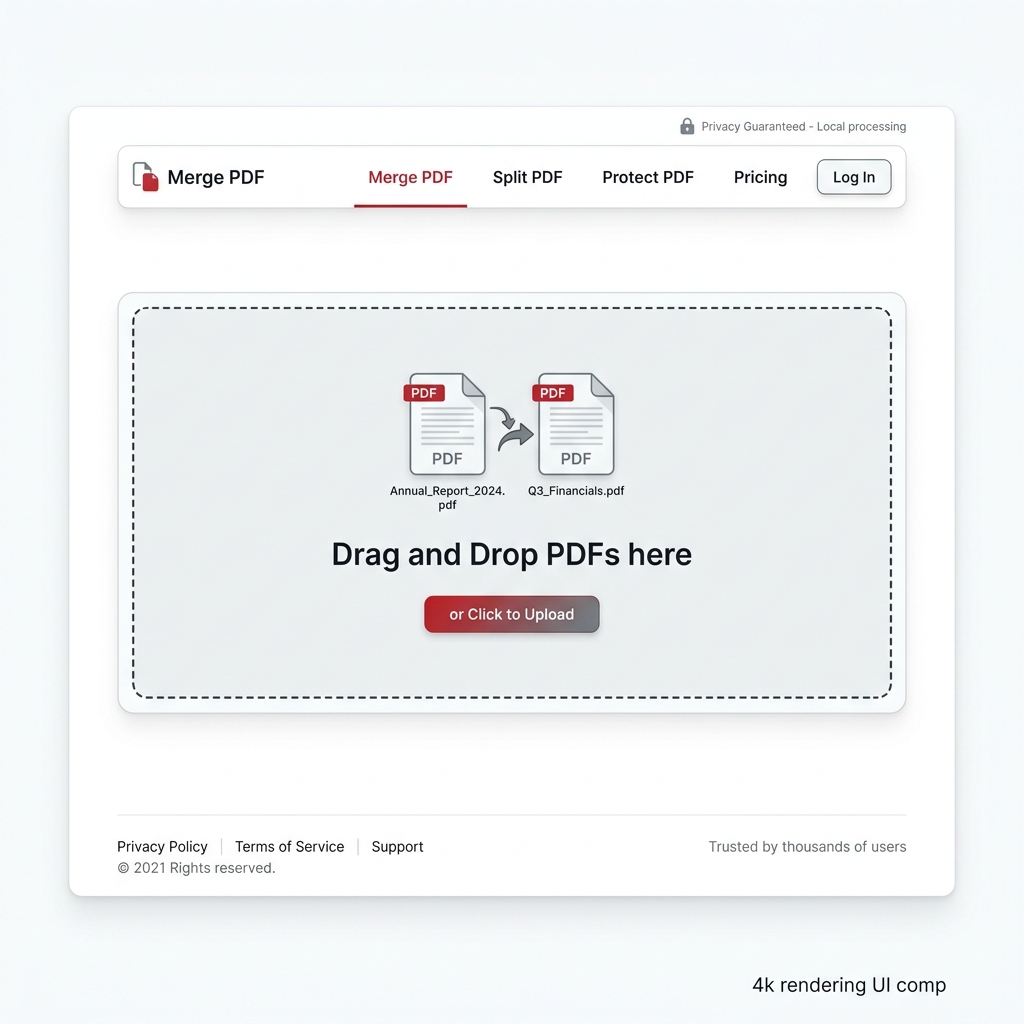
The clean, privacy-first interface of the Merge PDF tool.
I clicked on the 'Merge PDF' tool. The instructions were idiot-proof: Drag and drop your PDFs here. But before I did, I noticed a small shield icon with text that read: 'Privacy-First Mode Active. Your files are processed locally in your browser and never touch our servers.'
To verify, I temporarily disconnected my laptop from the office Wi-Fi. I was completely offline. I dragged the first five financial documents into the drop zone. Instantly, their thumbnails appeared on the screen. It worked. It actually worked offline!
Step-by-Step: How I Merged 500 Pages in Seconds
Here is exactly how I used the tool to save my project:
- Uploading the Files: I highlighted all 20 PDF files from my desktop folder and dragged them into the browser window. Because it wasn't uploading them to a remote server, the 'upload' was instantaneous. No progress bars inching along, no network timeouts.
- Reordering with Ease: The documents loaded out of order because of their file names. PDFRego's interface allowed me to simply click and drag the thumbnails to rearrange them. I moved the Executive Summary to the front, followed by the financial data, and put the legal disclosures at the end. The drag-and-drop was buttery smooth.
- The Merge Process: Once everything was in order, I clicked the big 'Merge PDFs' button. I expected to wait at least a few minutes, considering there were over 500 pages of high-resolution charts and text. I took a sip of my coffee. Before I could even put the mug down, a prompt appeared: 'Your merged PDF is ready.'
- Downloading the Master File: I clicked download. The file, named 'merged_document.pdf', was immediately saved to my downloads folder. I opened it to inspect the quality. Every page was perfectly aligned, the text was crisp, and the bookmarks from the original files were preserved.
The entire process, from panic to a finished master document, took less than three minutes. And the best part? I didn't break a single company security protocol.
Why Local Processing is the Future
Let's talk about why this is such a big deal. Traditional online PDF tools work by taking your file, sending it over the internet to their servers, running a script to merge them, and then sending the new file back to you. This creates massive vulnerabilities. Who owns that server? Are they storing your files? Are they scanning them for data?
PDFRego utilizes advanced WebAssembly technology to run the PDF processing engine directly inside your browser's memory. Your computer is doing the work, not a server halfway across the world. This is a game-changer for lawyers, accountants, medical professionals, and anyone who handles sensitive data.
In conclusion, PDFRego didn't just save my afternoon; it permanently changed how I handle documents. I immediately bookmarked it and shared it with my entire team. If you haven't tried it yet, you are missing out on the most secure, fastest PDF tool on the internet.